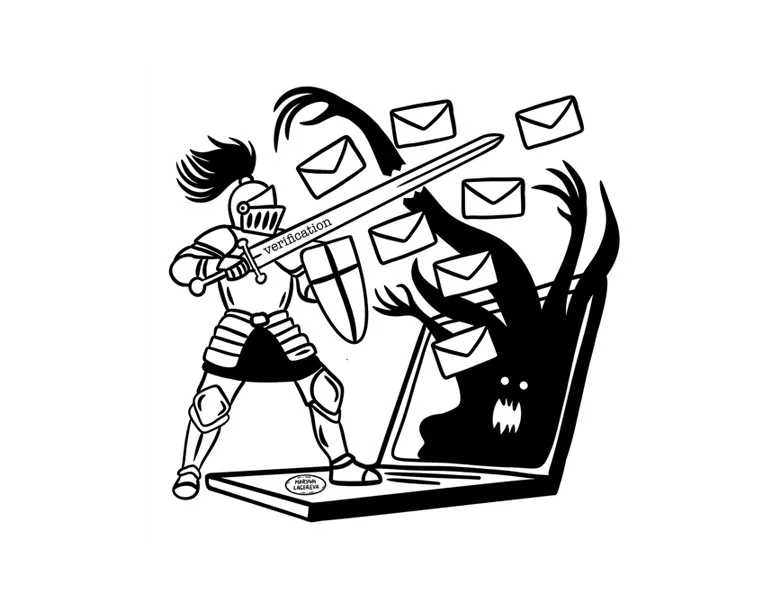
A few years ago, when I was working at a major French web company, we occasionally received some surprisingly elaborate scam emails. Hackers had breached one of our suppliers, and their emails looked almost identical to legitimate invoices. While I personally didn’t fall for the trap, some of my colleagues weren’t so lucky. A tool to quickly verify those emails could have saved us hours of stress, and, in some cases, real financial loss.
Fast forward to my personal life. My siblings and I have become the go-to “IT support” for our parents, a situation I’m sure many of you can relate to. Anytime a suspicious email pops up in their inbox, they forward it to us, hoping we can determine whether it’s safe to open or a phishing scam in disguise. Sometimes it’s easy to spot (obvious grammar mistakes, sketchy sender addresses), but other times, it’s hard to tell.
And even tech-savvy people occasionally hesitate when an email seems just a little too perfect. You know, the ones where you stare at the sender address, hoping for a clear sign it’s fake.
Tools do exist now that get close. Bitdefender Scamio and Norton Genie will both tell you whether a message looks like a scam, for free, without installing a suite. My parents have used neither, and I do not think they ever will, because both ask you to open a website you first have to find and trust, then paste the message into a chat box. What my parents actually do, every single time, is forward the email to one of their children.
That habit is the product. Not another place to go, but an address to forward to, the way they already behave, with the answer coming back in the same inbox they were already looking at. The gap is not detection. The gap is the gesture.
Market & Opportunities
The need is real and it is not shrinking. Phishing sits near the top of every national cybercrime report, year after year, and the losses keep climbing. Small businesses and individuals carry more of it than anyone, because they are the ones without a security team. Beyond financial loss, there’s the emotional fallout: frustration, mistrust, and even a reluctance to use email altogether.
Two groups pay for this, for opposite reasons. Families pay to stop being a burden: the parent who forwards every doubtful message to a child and the child who answers between meetings. Small businesses pay because a single convincing invoice costs more than a year of subscription, and they have nobody whose job it is to look. Everything else (enterprises, other languages, other continents) is a later problem that only exists if the first two work.
Key Features
- Forward and forget. Send the suspicious message to a dedicated address (e.g. check@threatshield.example) and the answer comes back in the same inbox, in seconds. No plugin, no inbox permission, nothing to install.
- A score anyone can read. Green, amber, red, then the reason in one sentence. The detail underneath (sender reputation, link analysis, formatting anomalies) is there for whoever wants it and invisible to whoever does not.
- Shared memory. A message already reported by someone else is recognized instantly. It is a neighborhood watch for inboxes, and it gets better the more people use it.
- What is kept, and what is not. The body of a forwarded email is thrown away once parsed. What stays is the scam signature: sender patterns, link structure, the shape of the fraud. That distinction is the entire privacy promise, and it is worth stating plainly rather than hiding it behind a “we store nothing” badge that would not be true.
- Your own history. A simple record of what you flagged and what it was, so the person who keeps receiving parcel-delivery scams eventually learns to spot them without asking.
Later, if the thing works: native Gmail and Outlook add-ons, SMS, and a monthly Threat Barometer built from the reports.
Monetization
Two paths, and they are enough. Freemium for individuals: a handful of checks a month for free, because the person who needs this most is the one who will never pay for security software, and a small subscription for unlimited checks and the personal history. A flat plan for small businesses, sold per company rather than per seat, because the buyer is an office of six people who just want the invoice checked before it is paid.
What I would not do is sell the threat database. It was in my first notes, as a subscription for security firms and research institutions, and it contradicts the promise made two sections above. You cannot tell someone their email is thrown away and then sell what you learned from it. Pick one.
Abuse: what an open address invites
An address that anyone can forward anything to is, by construction, an address that will receive things it should not. People will forward emails containing someone else’s medical results, a colleague’s salary, a scan of a passport. Not maliciously, just because the message happened to be suspicious and it also happened to contain that.
So the deletion of the body is not a feature, it is the load-bearing wall. Parse, extract the signature, drop the rest, and never build the button that would let an administrator read a stored message, because a button that exists is a button that gets used. Rate limits on top, per sender, to stop anyone from using the service as a free bulk scanner for their own spam campaign.
Next Steps: How I’d Build It
The simplest starting point is the one already in the pitch, a forwarding address. Users send a suspicious message to a dedicated address (say, check@threatshield.example), a parser pulls the headers, links, and sender reputation, and a reply comes back with a score. No inbox permissions, no plugin, nothing to install. That is the MVP, and it is buildable with tools that exist today.
The blockers sit further out. A risk score in seconds is only as good as the analysis engine behind it, and getting false positives low enough to be trusted is the real work, not the plumbing. Sender reputation and URL scanning would likely lean on existing threat-intelligence feeds rather than a database built from scratch.
The deeper Gmail and Outlook integration is not a weekend add-on. It means building against Google’s and Microsoft’s add-on APIs and passing their review, which is doable but slow. I would ship the forwarding version first and treat native integration as a later milestone, not a launch feature.
A Safer, Smarter Inbox
I keep coming back to the same picture: my parents forwarding me an email, waiting to hear whether it is safe.
A tool that answers that question in seconds, for anyone, would take a real weight off a lot of people, from older relatives to busy professionals who glance at their phone between meetings.
I do not think this reinvents cybersecurity. It just puts one useful check within reach of people who do not have an IT department, and that is enough of a reason to build it.
The concept is still rough, and plenty of the hard parts (accurate scoring, keeping false positives low, provider integrations) are unsolved. But the demand is obvious, and none of the blockers look fatal.
If you are a developer, an entrepreneur, or someone who has also become their family’s IT support, and you decide to build this, I would be glad to help think it through or review it. If you build this, tell me. I would love to follow it here.